
M3U Playlist Not Loading? Find the Cause
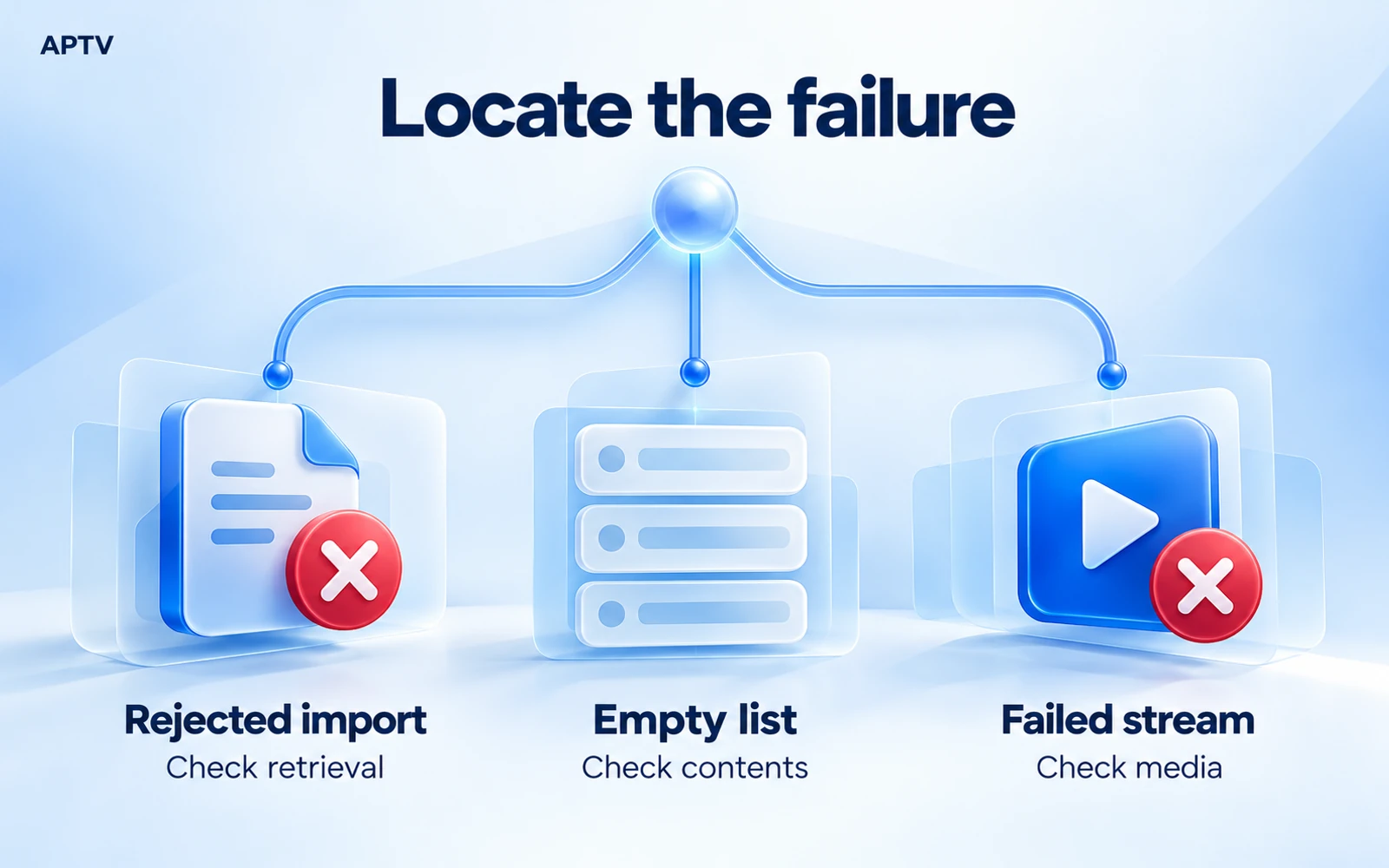
An M3U playlist not loading can mean three different things: the app cannot retrieve the playlist, it retrieves something it cannot turn into entries, or the entries appear but their streams fail. Identify that stage first. Repeated imports and app reinstalls rarely clarify which part of the chain needs attention.
This guide covers failures before normal playback begins. If a stream starts and then repeatedly stalls, use the separate guide for playback that keeps stopping. A delay while retrieving the directory and interruptions during video playback require different comparisons.
Identify where loading stops
Watch one attempt from beginning to end and record what happens. Does an error appear immediately after you submit the URL? Does the import finish with an empty collection? Or do channel names appear normally until you select one? Those observations are more useful than the word “broken.”
| Your observation | Start here | What remains unknown |
|---|---|---|
| Import is rejected | Address, access, or file readability | Whether any media stream works |
| Collection is empty | Returned contents and playlist structure | Whether the source supplied usable entries |
| Entries appear, none opens | Stream addresses and source access | Whether failure affects every source |
Treat this as a decision tree. If there are no entries, investigate the directory request. If entries exist, move downstream to an individual stream. If that stream starts successfully, the import stage has passed, even when a later playback problem remains.
Check the URL or file you supplied
Compare a copied URL with its original
Return to the message or account page where your authorized source supplied the playlist. Copy the complete address again into a private local text editor. Compare it with the original rather than trying to reconstruct missing characters from memory.
Look for a missing scheme, an incomplete hostname, trailing punctuation copied from a sentence, or a line break inserted into the middle. Preserve query fields, capitalization where used, and percent-encoded characters. An address can look long because it carries access information, not because it contains unnecessary clutter.
A shortened or redirected link introduces another destination. Ask the source owner for the intended direct playlist address when you cannot tell what was supplied. Do not send your private link to a public link checker. Sharing a tokenized URL can disclose the same access that a password protects.
Make sure a downloaded file is really a playlist
Open your own local copy in a plain-text editor. A typical extended M3U directory contains a header and media references, often with names alongside them. The documented playlist syntax provides a small example to compare against without uploading your file anywhere.
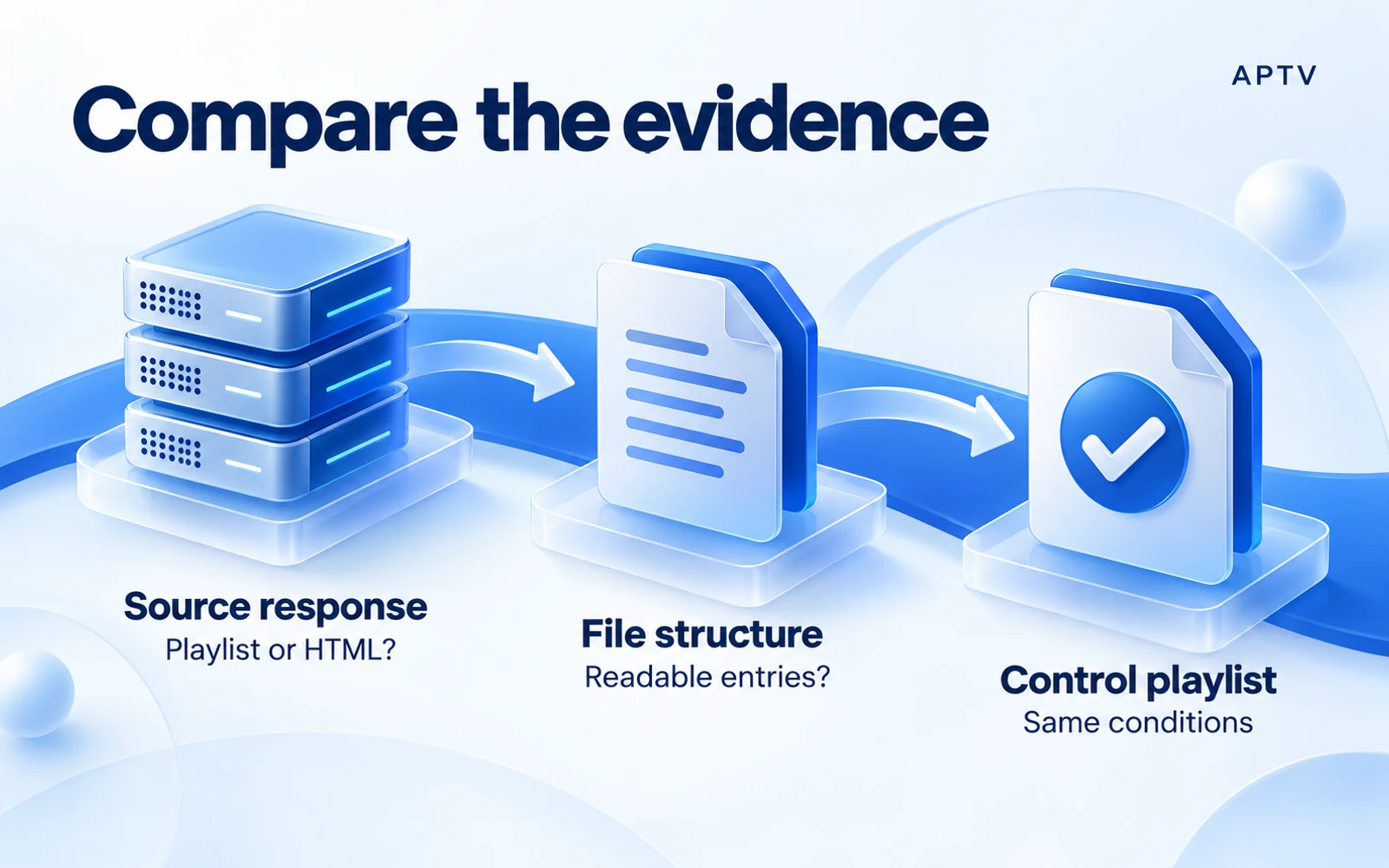
If the contents begin with HTML markup or show a sign-in page, you may have saved a website response instead of the requested playlist. A filename ending in .m3u does not guarantee that the server returned M3U text. Equally, a successful download does not establish that the account was authorized to receive entries.
Check that the file is not empty, compressed, or saved in a rich-text format. Preserve a backup before editing. If the file came from a managed service, ask for a fresh export rather than guessing how its generated tags should be repaired.
Consider access without guessing the cause
An expired link is one possible explanation, but a failed request alone does not prove expiration. The address may be mistyped, temporarily unavailable, restricted to a particular account, or dependent on an authentication step the player does not support.
Ask the source owner whether the exact input is still valid for third-party players and whether any connection limits apply. A link that works in a signed-in browser may depend on that browser session. A player receiving only the copied address may not have the same authentication context.
Check whether you are investigating a fresh download or an older saved copy. A remote playlist can change while a local file remains unchanged. Note the retrieval time and compare only the copies you intend to test. Otherwise, two different documents can make an apparent app inconsistency that is really a source update.
Compare a known-good playlist
A control playlist helps separate the import mechanism from your original source. Use a small file whose structure you understand and whose authorized stream has recently worked in your environment. A random public channel collection is a poor control because its entries may already be unavailable.
Keep the phone, app version, and network unchanged while you compare. First try the original input once, then the control. Record whether each produces entries and whether a selected entry starts. These are two separate results; the control may import correctly even if its media later fails.
If both inputs fail before any entries appear, check the import steps and confirm that you selected the correct input route. If the control imports but the original does not, concentrate on the original address, returned document, or structure. This narrows the investigation without proving a specific defect.
Use the result to choose the next branch
When only one file fails, compare a minimal copy containing a single authorized entry, provided you own or may edit that file. Keep its stream address unchanged. If the smaller copy imports, something about the larger document deserves investigation, but size alone is not yet an established cause.
When both files import and only the original streams fail, stop changing the playlist header. The directory has already done its job. Investigate access to those media addresses, whether the streams are currently available, and whether the player supports their actual media format.
When the original works on another device, record the differences instead of declaring the first phone faulty. The network, account session, player implementation, or operating system may differ too. Change one of those conditions at a time if you need a more useful comparison.
A source owner can sometimes provide a sanitized sample with the same structure as the failing collection. That is particularly useful when the original contains private account details. Ask for a representative example rather than sending the whole account to strangers. Keep the working control and the failing sample clearly labeled.
Interpret errors as clues
If an error includes a response code, record it exactly. The definitions of HTTP status codes describe the server's response category; they do not identify every reason a particular playlist service chose that response.
| Response | Basic meaning | Useful next question |
|---|---|---|
| 401 | Authentication is required or not accepted | Does this input use the expected authentication method? |
| 403 | The server refuses the request | What access condition does the source require? |
| 404 | The resource was not found | Is this still the correct address? |
| 429 | Too many requests | Have repeated attempts triggered a limit? |
| 5xx | A server-side failure was reported | Does the source owner report an outage? |
A 403 does not automatically mean your password is wrong. A 404 does not establish that your subscription ended. A server can apply its own policies, and an intermediary can also return an error. Give support the observed code rather than turning it into an unsupported diagnosis.
No displayed code is still a valid observation. Record the exact app message and whether the failure is immediate or follows a visible wait. Do not invent a status code from a generic warning. If you administer the source, its request logs may provide the missing detail.
Avoid changes that destroy the evidence
Do not delete your only playlist copy, reset every setting, and switch networks before checking the result. That combination makes it difficult to tell which change mattered. Save the original, make one reversible change, and compare the same entry again.
Repeated refreshes can also make a temporary access problem harder to interpret. If the server reports a request limit, stop rapid retries and follow the source's guidance. A different app is a comparison tool, not permission to bypass a restriction.
If a collection looks empty, also check whether you are viewing an existing filter, search result, or previously selected category, where those controls are present. Clear only the visible filter you understand and inspect the full collection again. A filtered view is different from an import that produced no entries. Record which view you checked before reporting the result.
Send a useful support report
Summarize the failure in a few concrete sentences. Include the phone model, operating system, app version, whether you used a URL or file, and the last stage that worked. Describe the control result using the same terms as the original attempt.
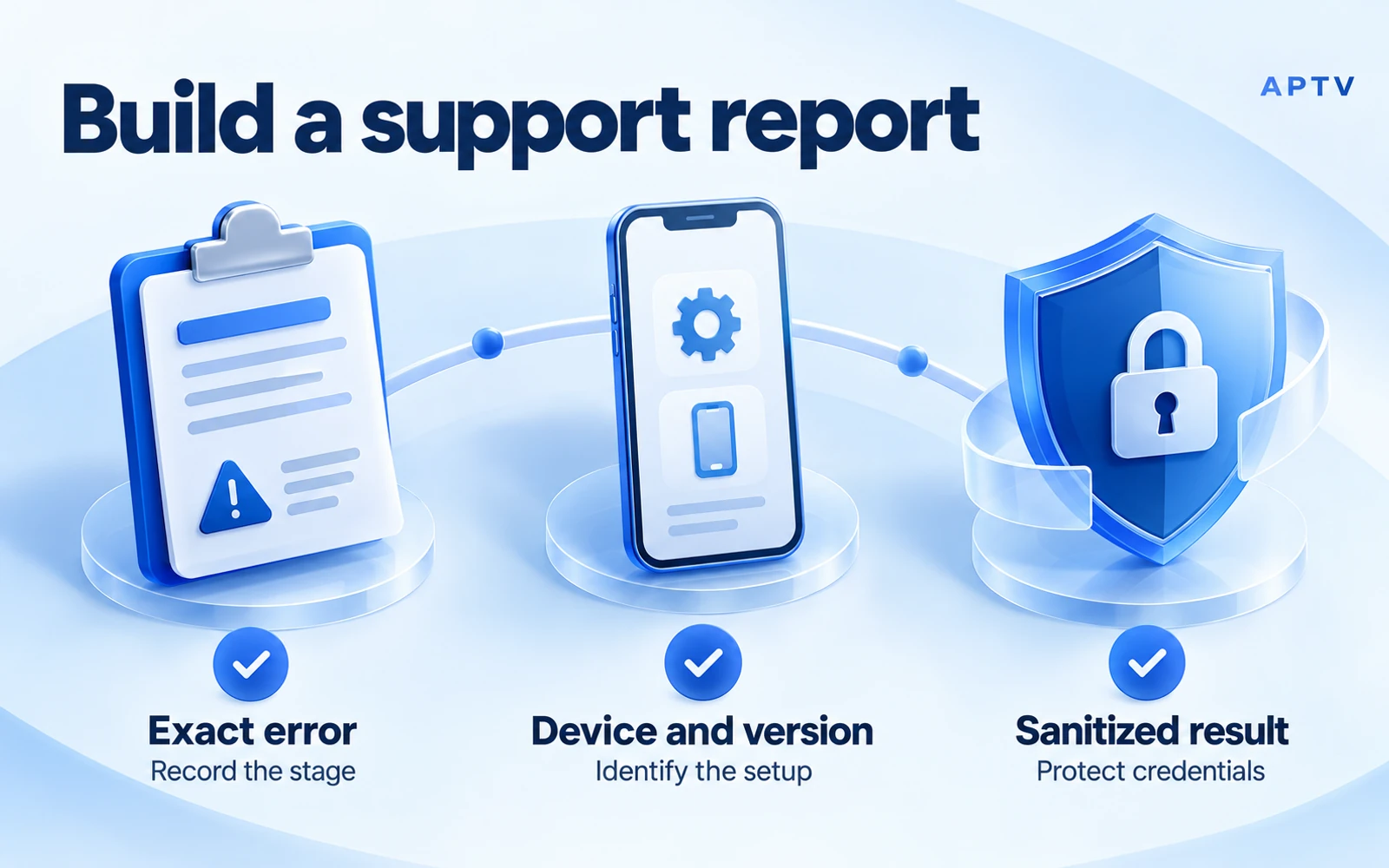
For example, a useful hypothetical report is: “The playlist URL is accepted, but the collection has no entries. A small local control file imports on the same phone and network. The original source returned a sign-in document when checked privately.” This is a reporting example, not an APTV test result.
Remove usernames, passwords, account identifiers, tokens, and private channel addresses from screenshots and copied messages. Masking only the word “password” may leave another credential visible in the path or query. Keep an unmodified original privately if the source owner needs to investigate through a secure support channel.
Send an access or availability problem to the source owner. Send a reproducible import problem involving a valid supported input to the app's official support. If the evidence is mixed, explain that uncertainty. A precise unresolved question is more useful than a confident but untested accusation.
Before trying again, confirm what changed: a renewed URL, a corrected file, an app update, or a resolved source outage. Repeat the same basic checks so you can tell whether the fix addressed retrieval, parsing, or stream access.
Use the APTV player with your own authorized playlist, and keep this stage-by-stage record if loading fails. Downloading or upgrading the app cannot guarantee recovery of a stream that the source no longer provides.
Frequently asked questions
Can an expired playlist URL stop an M3U playlist from loading?
Yes. A source may stop accepting a link when its token, account access, or resource changes. Ask the source owner whether the exact URL is still valid. Reinstalling the player cannot restore access to an expired or withdrawn source.
Why did my playlist download turn out to be an HTML page?
The address may have returned a sign-in screen or error page instead of playlist text. Inspect the downloaded content locally, without sharing private tokens. Renaming that page to .m3u does not turn it into a playlist; obtain the correct export from the source.
Is a visible channel list with failed playback an import problem?
Not necessarily. If the expected entries are visible, playlist retrieval and parsing may already have succeeded. Test an individual stream next. Distinguish a rejected import, an empty collection, and an entry that fails to play so you investigate the correct stage.
What do HTTP 401 and 403 errors tell me?
They are clues about authorization or access refusal at the server. They do not identify the exact account or configuration issue on their own. Record which request failed and ask the source owner to confirm access, keeping passwords and full private URLs out of public reports.
Should I reinstall APTV when a playlist will not load?
First check the input and compare it with a small, known-working playlist under the same conditions. That comparison helps separate a source problem from a broader app or device issue. Preserve your playlist details before any step that could remove local data.