
M3U vs M3U8: Encoding, HLS, and Playlist Examples
The practical difference in M3U vs M3U8 is not picture quality. The .m3u8 extension conventionally signals UTF-8 playlist text, while .m3u does not by itself tell you which encoding was used. Neither extension tells you whether the file is a directory of channels or part of an HLS presentation.
To choose the right input, answer two questions: how is the text encoded, and what do its entries represent? A channel directory can point to complete streams. An HLS playlist can describe variants or media segments for one presentation. Confusing those jobs causes more trouble than choosing between two familiar suffixes.
The practical difference between M3U and M3U8
Think of the extension as a label on an envelope. It helps software decide what to expect, but it does not rewrite the contents. A file can have a plausible name and still contain damaged text, an error page, or a structure the receiving application does not accept.
| Question | What to inspect | What the suffix cannot prove |
|---|---|---|
| Will names display correctly? | The file's text encoding | That the actual bytes match the name |
| Is this a channel directory? | The meaning of its entries | That every M3U8 file lists channels |
| Will its media play? | Stream access and media support | That the source is available or compatible |
Start with the file your authorized source recommends for your player. Do not rename it simply because another guide says one extension is always better. Preserve the original so you can compare your changes if the result becomes worse.

Encoding and channel names
Text encoding describes how stored bytes represent characters. UTF-8 can represent accented names and many writing systems in one file. If a name such as “Café Radio” appears as unexpected symbols, inspect the file's encoding and the way it was saved before changing the stream itself.
An encoding problem can affect labels without changing which media address a line references. The reverse is also possible: channel names can look perfect while every stream URL is expired. Diagnose what is wrong rather than assuming that a readable list proves working access.
If you edit a playlist you own, use a plain-text editor that exposes the save encoding. Choose UTF-8 and preserve the intended line breaks. A word processor's visually tidy document may contain formatting that is inappropriate for a text playlist.
A filename is not an encoding conversion
Renaming channels.m3u to channels.m3u8 changes the filename. It does not decode the original bytes and write them again as UTF-8. If conversion is needed, open the text using its correct original encoding and save a separate UTF-8 copy.
Check a few non-English names after saving, especially any characters that were already damaged. Saving unreadable text in a different encoding may preserve the damage rather than reconstruct the intended words. Recover the original source when possible instead of guessing names character by character.
For a managed playlist, ask the source owner for a UTF-8 export. Editing a generated file yourself may work for one copy but disappear the next time you download it. Fixing the generation process is more durable than repeatedly repairing exported labels.
Keep encoding changes and label edits separate during a repair. First save a copy with the intended encoding and inspect it without changing the names. Then correct any known labeling errors in another step. If you alter both at once, you may lose the evidence needed to explain why characters changed between the original file and the imported collection.
Channel directory versus HLS playlist
A simple directory associates readable names with media addresses. This invented example shows the shape, not working channels:
#EXTM3U
#EXTINF:-1,Studio Camera
https://media.example.com/studio/master.m3u8
#EXTINF:-1,Training Session
https://media.example.com/training/session.mp4
Each address represents an item the viewer may choose. The first could lead to an HLS presentation, while the second names a media file. The directory is one layer above those media resources. It does not contain the video or make the example addresses available.
The simple M3U example from Live365 demonstrates the header, display information, and stream address pattern. Use it to understand the basic arrangement, not as proof that every optional IPTV attribute works in every player.
HLS master and media playlists have different jobs
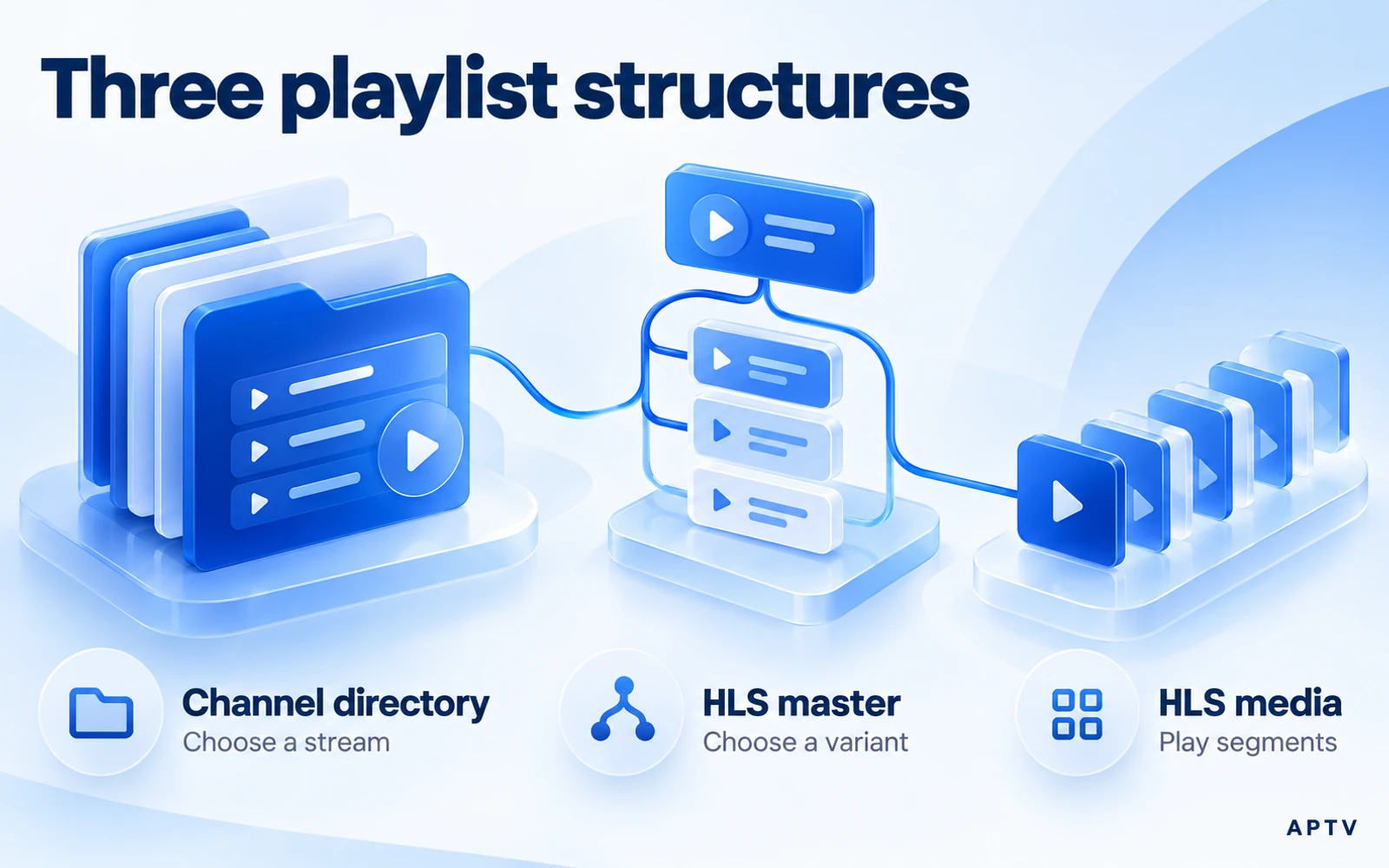
Under RFC 8216, an HLS master playlist points to variant media playlists; a media playlist identifies segments played in sequence. The former helps a client choose a version of a presentation, while the latter describes the pieces used to play it.
Read the HLS playlist requirements in sections 4 and 4.1 for the exact rules. This is an Informational RFC. It requires UTF-8 without a byte order mark and permits identification through a .m3u8 or .m3u URI path, or the specified HTTP content type. HLS does not always require a .m3u8 suffix.
Recognize the purpose before importing
You may encounter tags such as #EXT-X-STREAM-INF in a master playlist or #EXT-X-TARGETDURATION in a media playlist. Those are clues to HLS structure. Do not strip unfamiliar tags from a stream manifest to make it resemble a channel directory.
A player can use an HLS address as the media target of a directory entry without presenting all of the manifest's segments as separate channels. That is the useful distinction: the viewer chooses the program, and the playback system handles its internal delivery structure.
If an import produces unexpected segment names or one unfamiliar item, ask whether you supplied the intended directory or a single stream's manifest. The application may have separate paths for opening media and importing channel collections. Their existence and labels must be verified in that particular app.
Do not assume that an HLS master playlist is an editable menu of unrelated television channels. Its variants can represent alternative encodings of the same presentation. Deleting or rearranging them without understanding their relationships may damage playback rather than simplify the user interface.
What renaming changes—and what it leaves alone
A new extension may influence which application a device offers to open the file. It may also influence a server's handling when you host a document. Those effects are reasons to use accurate names, not evidence that renaming repairs incompatible contents.
Renaming does not renew credentials, convert a codec, create missing media segments, or turn a website into a stream. If a downloaded file contains an HTML sign-in page, adding .m3u8 leaves it as the same sign-in page under a different name.
| Change | What it can affect | What you must verify separately |
|---|---|---|
| Rename the extension | File identification and association | Actual encoding and structure |
| Save using UTF-8 | Character representation | Correct labels and valid syntax |
| Replace a stream address | The resource requested | Authorization and playback support |
| Edit a display name | How you identify an entry | Whether its media still works |
Avoid accidental double extensions
Some editors append .txt automatically. A document displayed as channels.m3u8 in a file manager may actually have another hidden suffix. Inspect the full name when an import picker will not accept it, then correct the save options for future exports.
Also distinguish a local file from a remote response. A URL can return playlist text even when its path looks unfamiliar. Conversely, a URL ending in a playlist extension can return an error document. The actual response and the receiving player's supported inputs determine what happens.
Before distributing an edited directory, check it in the same form that recipients will receive. An editor preview is not the imported result, and an old cached copy is not the new file. Give the trial copy a clear name and verify its contents locally. This avoids comparing two different versions while believing only the extension changed.
Which file should you use?
Use the source owner's supported export for your player, and keep UTF-8 text intact when editing your own directory. If you need to build a small collection from authorized stream addresses, follow the separate guide to create your own M3U file.
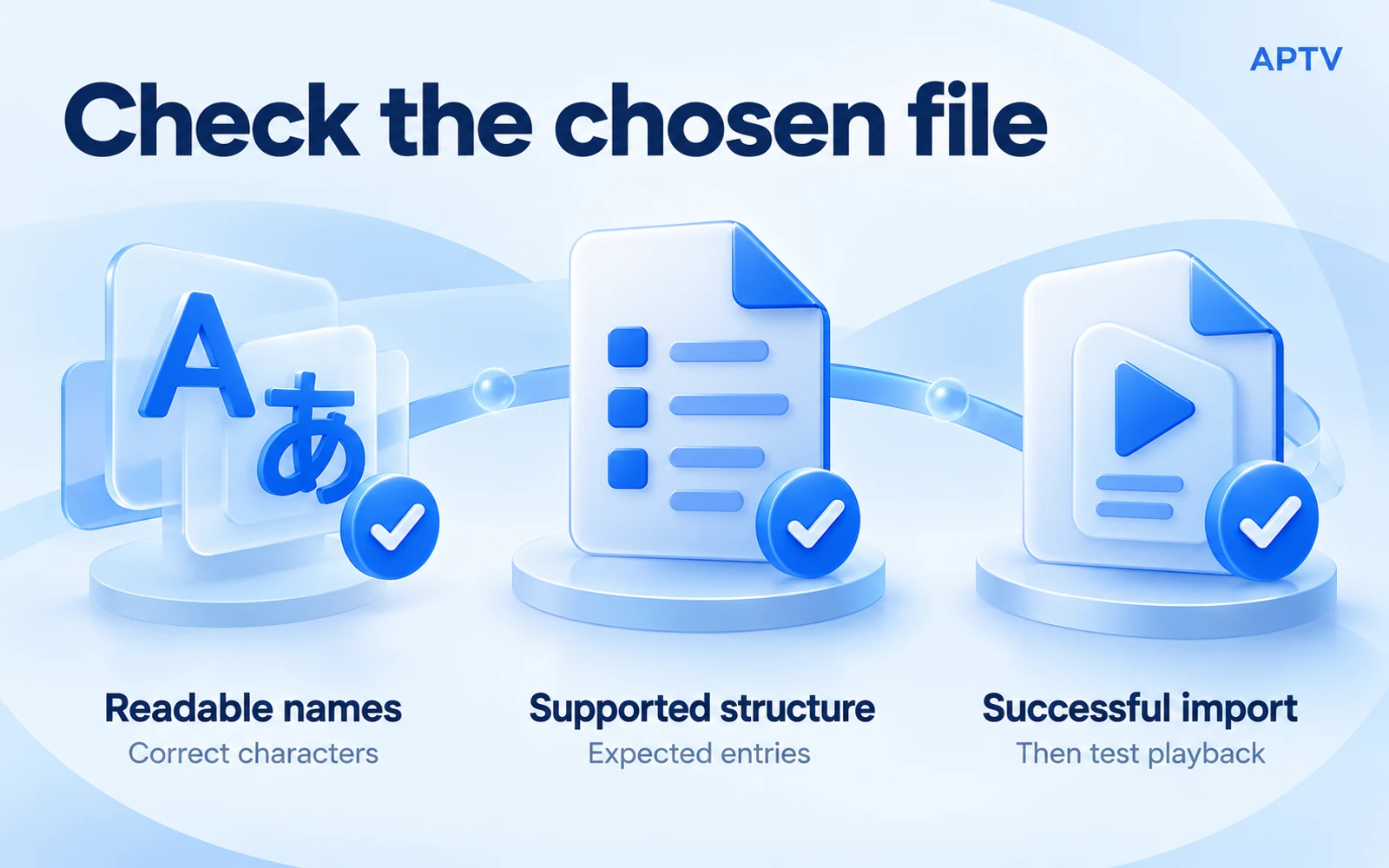
Check three things before calling the format choice successful. Names should display as intended, the player should recognize the expected structure, and a selected entry should actually play. These checks test different layers; passing one does not substitute for the others.
For example, readable names plus an empty playback screen suggests a different investigation from unreadable names in an otherwise working collection. Preserve the working parts while narrowing the failure. There is no reason to rebuild the whole directory just because one source address has changed.
When you are ready to import a playlist, choose the documented URL or file route for that application. Keep a clean copy of the original and record what you changed. If the source supplied both formats, compare them under the same conditions rather than assuming that one extension is intrinsically faster.
Keep a brief change note with the file: what you altered, why, and which entry you checked afterward. A format repair is easier to repeat when it has a specific purpose, such as preserving accented names, instead of a vague goal such as making the playlist more compatible.
Use APTV for iPhone with your own supported playlist, then verify both readable entries and playback. Changing an extension or purchasing an app feature cannot restore an unavailable source.
Frequently asked questions
What is the main difference between M3U and M3U8?
M3U is a text playlist format; the M3U8 extension conventionally identifies UTF-8 text. The extension alone does not tell you whether the contents are a channel directory or an HLS playback playlist. Inspect the structure and use the input supported by your player.
Is every M3U8 file a list of IPTV channels?
No. An M3U8 resource can describe HLS variants or media segments for a stream instead of a directory of separately named channels. Check what the file contains before importing or editing it. Similar extensions do not make those structures interchangeable.
Can I convert M3U to M3U8 just by renaming the file?
Renaming changes the filename, not the text encoding or playlist structure. If UTF-8 encoding is needed, save the text with that encoding and verify its contents. Changing the extension cannot repair broken stream addresses or turn an HTML error page into a valid playlist.
Does M3U8 mean better video quality?
No. A playlist's text encoding does not establish video resolution, compression quality, or delivery reliability. Those belong to the referenced media and playback path. A carefully named playlist can still point to a poor source, and a plain directory can point to excellent media.
Can a playlist work offline?
Only if the media it references is also available without the network and the player supports that arrangement. Saving an online directory locally does not download the videos behind its addresses. Check the media locations rather than using the presence of a local file as the test.